
How to Redeem Present Codes on the Official Store
Thank you for playing Persona5: The Phantom X.
This post serves as a guide on how to redeem present codes for the Official Store received through giveaways or other campaigns.
*For details on present contents or any limitations, please refer to the original campaign that granted the code.
■ How to use
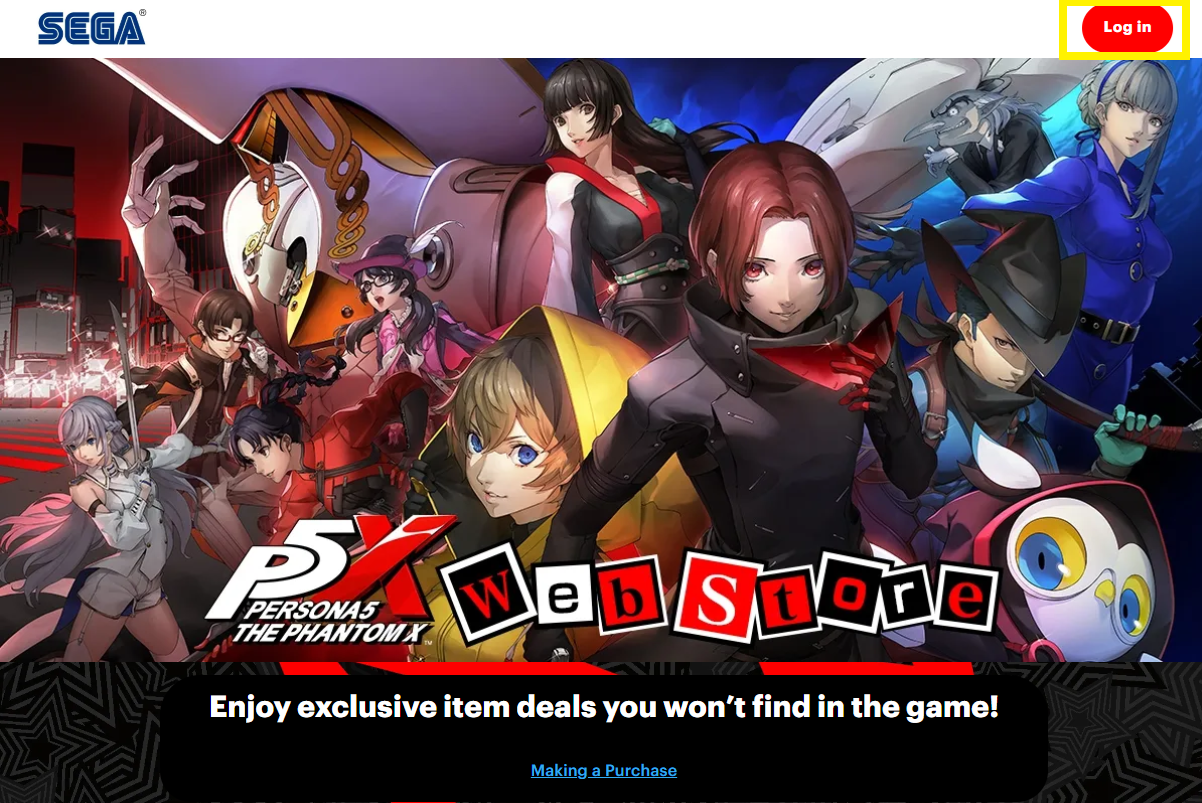
1. Click the "Log in" button on the top right of the Official Store page (https://p5xgl-store.sega.com/), enter your Player ID, and log in.
*You can find your Player ID on the in-game Shop, and copy it to your clipboard with the "Copy ID" option.
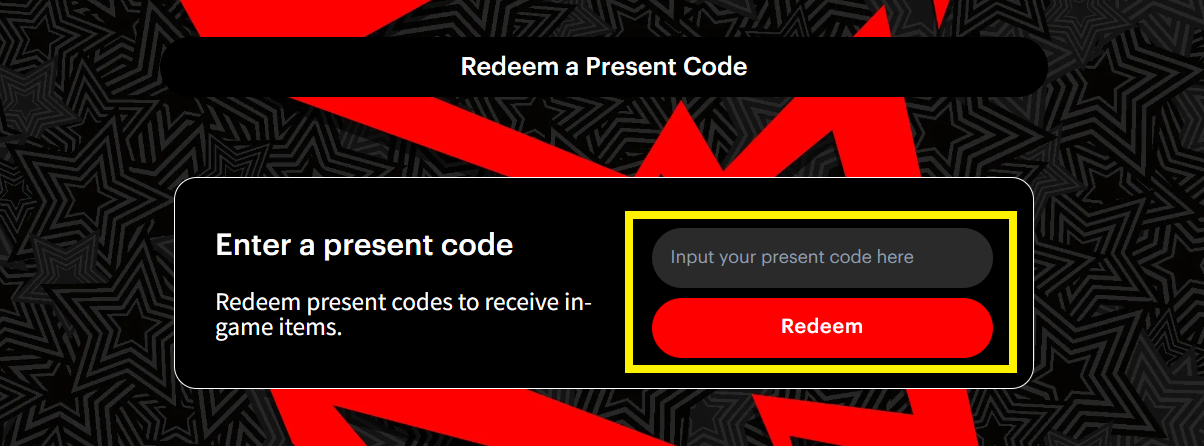
2. Find the "Redeem a Present Code" section, enter your present code, and click "Redeem."
3. Once the code is redeemed, you can claim your items by logging in to the game.
*Important Notes*
• For details on any present code (present contents, limitations or terms on redemption, or other important information), please refer to the original campaign where the code was obtained.
• Any costs relating to use of an internet connection in order to redeem a present code are the responsibility of the user.
• Present codes cannot be transferred or sold to any third party.
• Present codes cannot be reissued.
Persona5: The Phantom X Operations Team